Contractor Command Center

Run contractor workflow decisions from one owner-friendly thread.

The Contractor Command Center is not a separate service. It is the control layer that can sit on top of your installed workflows. New leads, quote escalations, missed calls, daily briefings, field notes, and site-visit bookings arrive as Telegram messages with quick-action buttons. The system brings the options to you; you decide what happens next.

Book a Contractor Workflow Call

What runs through your Telegram

The parts of the workflow that need you, one thread away.

01. Lead capture

Every new lead arrives with action buttons ready.

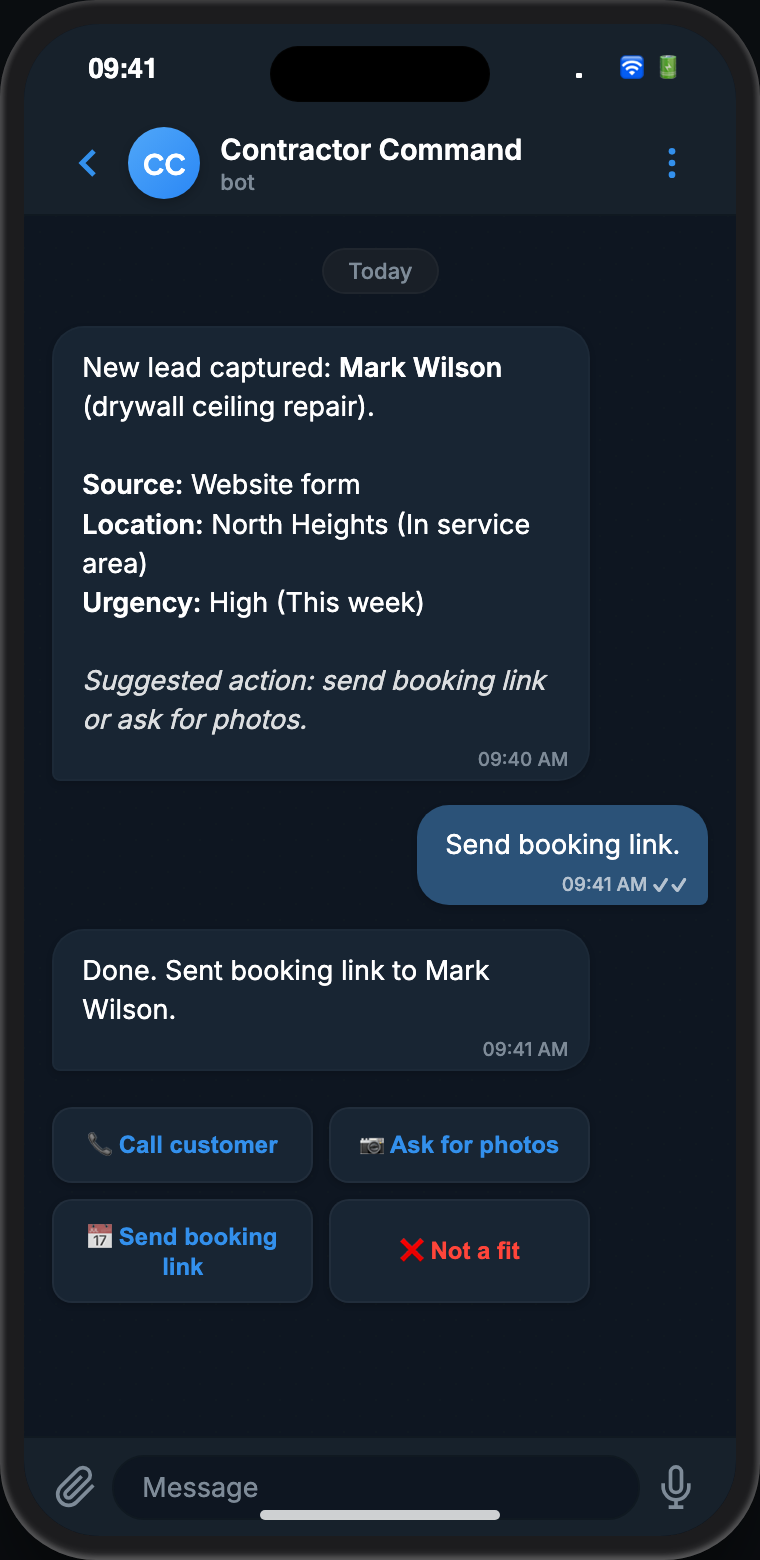
When a lead comes in from a website form, SMS, social DM, missed call, or referral, the bot sends a plain-English summary to your Telegram: who contacted you, what they need, where they are, what is missing, and how urgent it looks. You tap once to send a booking link, ask for more details, route it to a callback, or mark it as manual review.

  • Captures leads from website, SMS, social, calls, and referrals
  • Lead summary with job type, location, and urgency flag
  • Follow-up reminder set automatically if no booking arrives
Telegram screenshot: New lead captured, drywall ceiling repair. Bot suggests asking for photos. Owner replies: Ask for photos.

02. Quote escalation

Automatic quotes come with a quick owner notification. You only need to act when a job falls outside the rules.

When a quote request matches your pre-set rules (right job type, right service area, enough detail), the bot sends the approved ballpark range to the customer automatically and notifies you with a short summary: the customer’s name, job type, and the range that went out. When a job falls outside those rules or details are missing, you get an action message with context and options to handle it.

  • Approved ranges go out automatically with a quick notification to you
  • Action message sent only when the job doesn’t match your rules or details are incomplete
  • Options: ask for missing info, suggest a site visit, or handle it manually
Telegram screenshot: Quote request for fence repair ready, bot suggests ballpark range, owner replies Edit first

03. Missed call capture

After-hours calls don’t fall through the cracks.

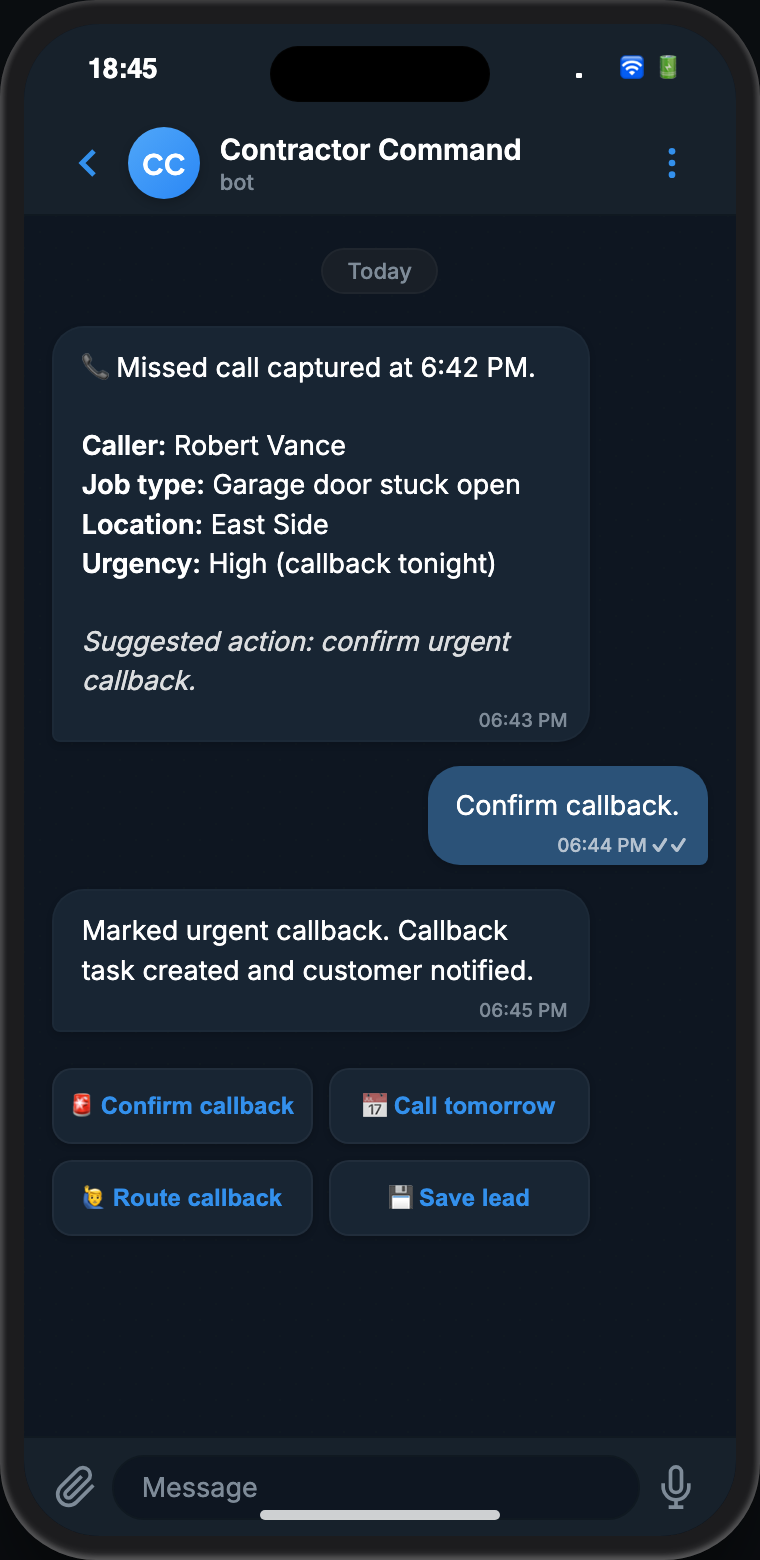
When you miss a call, the AI voice secretary collects the caller’s name, number, job type, location, and urgency. By the time you open Telegram, whether ten minutes later or first thing in the morning, the full summary is already there with action buttons waiting.

  • Captured automatically when no one picks up
  • Caller details, job type, and urgency flag in plain language
  • One tap to confirm a callback or escalate as urgent
Telegram screenshot: After-hours call captured at 6:42 PM, garage door stuck open, owner replies Call now

04. Morning briefing

Start every morning knowing exactly where things stand.

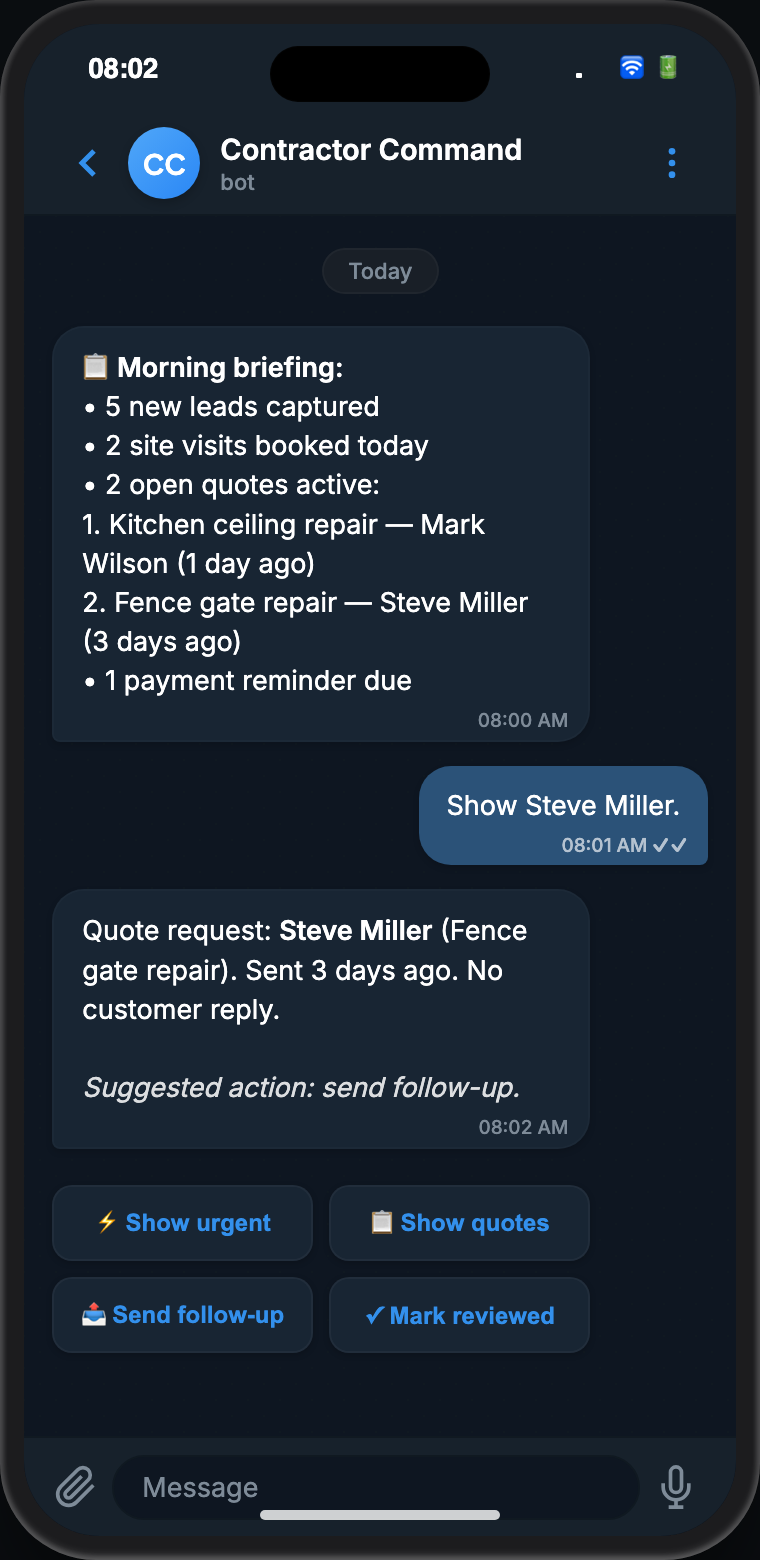
At a time you choose, the bot sends a concise Telegram summary of new leads, open quotes, booked site visits, job notes, closeout reminders, and any payment reminders due. You can tap through to anything that needs attention without digging through a dashboard.

  • Delivered at your preferred time each morning
  • Open quotes listed with customer name, job type, and days since sent
  • Jobs waiting on estimates, photos, approvals, or closeout can be surfaced
  • Tap into any item to act immediately from that message
Telegram screenshot: Daily briefing, 5 new leads, 1 quote draft, 3 follow-ups due, owner replies Show quotes

05. Booking confirmation

Customer picks a slot. You confirm it in Telegram.

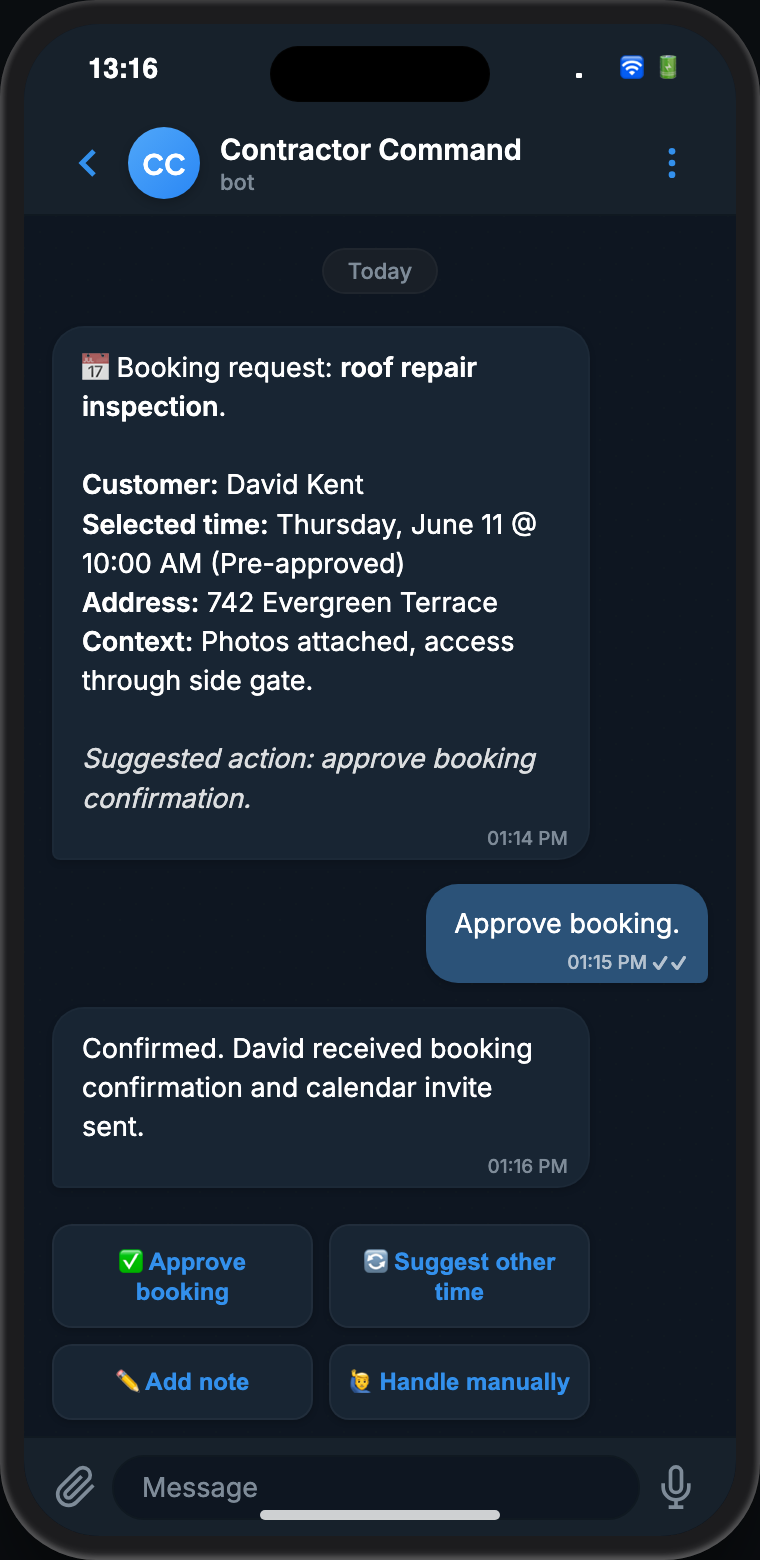
When a customer selects a site visit time from your approved availability, the bot sends the booking details to your Telegram for a single-tap confirmation. Wrong day, need to call first, or outside your window, you have options for that too. Confirmation goes to the customer the moment you approve.

  • Only times you’ve pre-approved are shown to customers
  • Full job context included: photos, address, and job type
  • Customer receives confirmation automatically after your approval
Telegram screenshot: Site visit request for roof repair inspection, owner replies Confirm time

Works on top of

Four installed workflows. One control layer.

The Command Center adds Telegram alerts, approvals, and action buttons on top of whichever workflows are installed. Each one brings a different type of update into your thread.

Lead Intake OS

New lead summaries, urgency flags, and follow-up actions across website, SMS, calls, and social.

Lead Intake OS

AI Voice Secretary

Missed call summaries, caller details, and callback actions for after-hours and overflow calls.

AI Voice Secretary

Instant Quote & Booking OS

Quote escalations, auto-quote notifications, and site-visit booking confirmations.

Instant Quote & Booking OS

Job Closeout & Review Engine

Field notes, job completion actions, closeout reminders, and photo capture from the same thread.

Job Closeout & Review Engine

How owner control works

Fast actions, clear limits.

  1. Rules are approved first: You decide which messages, ranges, booking options, and escalation steps are allowed.
  2. The workflow summarizes: Each alert shows the customer, job details, urgency, and why a next step is suggested.
  3. You approve the decision: Buttons or short replies let you approve, hold, decline, ask for more information, or send the item to manual review.
  4. Field notes stay simple: You can capture job notes, materials, photos, crew updates, or closeout reminders from the same thread.
  5. Risky items pause: Pricing, scope changes, schedule promises, complaints, and unusual requests can stop for manual review.

Supported actions

The actions owners actually need.

  • Review new lead summaries and mark priority
  • Approve a callback, booking link, or site-visit request
  • Handle quote escalations the bot couldn’t resolve automatically
  • Ask the customer for missing photos, measurements, or details
  • Flag a call as urgent or route it for manual review
  • Assign follow-up to office staff, sales, or the owner
  • Ask what visits are booked today or which jobs are waiting on estimates
  • Capture job notes, materials, photos, and closeout reminders from the field
  • Mark a visit complete, log a follow-up, or update an appointment status
  • See a daily briefing of leads, bookings, reminders, and open items
  • Pause sensitive messages before they are sent
09:41
🛜🔋
CC
Contractor Commandbot
Today
Message

FAQ

Contractor Command Center questions

Why does this run on Telegram?

Telegram gives you a clean, always-on channel for workflow alerts, approvals, and summaries. Instead of living in a CRM dashboard, you get the important decisions in a simple messaging thread. If Telegram is not the right fit, we choose the owner alert channel during setup.

Can I see which quotes went out automatically?

Yes. Every automatic quote triggers a short notification to your Telegram with the customer name, job type, and the range that was sent. Open quotes also show up in your morning briefing.

What actions can I approve from the Command Center?

Common actions include call back, send booking link, handle a quote the bot couldn’t resolve automatically, request more details, mark as spam, assign follow-up, capture a job note, mark a visit complete, or hold for manual review.

Does it make decisions without me?

No. The Command Center is built around owner control. It can prepare clear options, but pricing, scope, schedule, and sensitive messages can require approval.

Run your workflow from Telegram

See what your Command Center looks like in action.

Book a contractor workflow call and we will map which workflow decisions should reach your Command Center, which actions you need to approve, and which updates can be handled from the field.

Book a Contractor Workflow Call